
Weebly to WordPress Migration
Outgrown Weebly, or unsure about its future? Our Weebly to WordPress migration service rebuilds your website on WordPress and manages it for you, from just $67/mo.
Why We're Different
Extremely Affordable.
$67/mo is the starting price for a new WordPress website, with hosting, SSL, and updates included. No hidden fees and no surprise increases.
Fully Managed and Secure.
We handle WordPress, plugin, and theme updates, with 99.9% uptime, free SSL, and daily backups. There's no hosting control panel for you to learn.
Looks Great on Every Device.
Your new site is built to load fast and read well on phones, tablets, and desktops.
Flint, Michigan-owned and based.
One Michigan team moves your content, builds your pages, and answers your questions. You deal with real people from start to launch.
2017
Year founded
260+
Websites built and managed
450+
AI/SEO audits performed
5 days
Average checkout to live
Weebly to WordPress
Move your Weebly site to WordPress on your schedule
Weebly made it easy to get a first website online with drag-and-drop editing. Since Square bought Weebly in 2018, new customers have been pointed to Square Online, and many Weebly owners are thinking about what comes next. 67 Web Design handles your Weebly to WordPress migration from the first content export to the day your custom domain points to the new site.
Weebly doesn't offer a one-click way to move a site into WordPress. Blog posts and basic page text can be pulled out with a free importer tool, but page layouts, the theme, contact forms, and store products have to be recreated. Images often stay linked to Weebly's servers unless they're uploaded to the WordPress media library.
That's why most Weebly moves are part import and part rebuild. We sort out which is which before we start, so you know what to expect.
What you gain with WordPress
Open-source software
Weebly is a proprietary platform, and WordPress is open-source software. Your site isn't tied to one company's plans or pricing.
More than 60,000 plugins
More than 60,000 free plugins add booking, forms, online selling, and SEO tools as your business needs them.
Thousands of themes
You can choose from thousands of WordPress themes and customize the layout, colors, and fonts.
Hosting and updates handled
WordPress needs regular updates. Our WordPress hosting includes them, along with SSL and daily backups.
67 is trusted by these sites and many, many more




About 67 Web Design
Professional WordPress websites, without the agency markup.
Michele Porter founded 67 Web Design in 2017 with one simple goal: making professional websites accessible and affordable for every business, church, school, and nonprofit that needs one.
Michele personally oversees every project with 15+ years in local SEO and 20+ years in WordPress development. You get a fully managed WordPress website with no bloated retainer attached. One team handles the build, the hosting, and the updates.

15+
Years SEO experience
20+
Years web design
Option 1: Start Fresh
A new WordPress site, if a different template works for you
If you're fine with a different template, a new website plan is the simplest way to leave Weebly. We build your site on a new WordPress theme that's optimized for speed and search, and we write the copy from your intake answers. Small Weebly sites usually fit our starter plans. Plans start at $67 per month for a 3-page site with hosting, business email, and basic SEO included.
67 Basic Plan
3 pages
New or very small businesses that need a simple, professional site.
$67
/mo
No setup fee · 12-month term
✓
Home, About or Services, and Contact pages, live in 5 business days
✓
We write the copy from your intake answers
✓
Hosting, SSL, backups, and 1 domain in your name
✓
3 business email inboxes (1 GB each)
✓
WordPress, theme, and plugin updates with security monitoring
✓
30 minutes of updates each month
✓
Titles and META descriptions on every page
✓
Email support
Most popular
67+ Social Media Plan
5 pages
Small businesses that also want a Facebook or Google presence kept active.
$109.99
/mo
No setup fee · 12-month term
✓
Home, About, Services, Pricing or Gallery, and Contact, live in 5 business days
✓
Google Business Profile or Facebook page setup
✓
4 social posts a month
✓
5 business email inboxes
✓
Hosting, SSL, backups, and 1 domain in your name
✓
30 minutes of updates each month
✓
Titles and META descriptions on every page
✓
Email support
67 Deluxe Plan
Up to 10 pages
Established small businesses with several services.
$229.99
/mo
No setup fee · 12-month term
✓
Up to 10 pages, live in 5 business days
✓
Google Business Profile or Facebook page setup
✓
8 social posts a month
✓
8 business email inboxes
✓
Hosting, SSL, backups, and 1 domain in your name
✓
45 minutes of updates each month
✓
Titles and META descriptions on every page
✓
Email and phone support
67 Pro
Up to 20 pages
Larger sites that do not want social posting.
$349.99
/mo
$199.99 setup · 12-month term
✓
Up to 20 pages, live in 10 business days
✓
We write the copy from your intake answers
✓
10 business email inboxes
✓
Hosting, SSL, backups, and 1 domain in your name
✓
60 minutes of updates each month
✓
Social Posting available as a $49.99/mo add-on
✓
Email and phone support
67 Ultra
Up to 30 pages
Large service businesses that want the site plus Facebook and Google posting.
$499.99
/mo
$449.99 setup · 12-month term
✓
Up to 30 pages, live in 10 business days
✓
Facebook and Google Business Profile setup
✓
4 posts a month on each platform
✓
12 business email inboxes
✓
90 minutes of updates each month
✓
Priority email and phone support
67 Elite
Up to 45 pages
The largest new builds: multi-service or multi-location businesses.
$599.99
/mo
$549.99 setup · 12-month term
✓
Up to 45 pages, live in 28 business days
✓
Facebook and Google Business Profile setup
✓
4 posts a month on each platform
✓
15 business email inboxes
✓
120 minutes of updates each month
✓
Priority email and phone support
Ecommerce website plans
Selling through a Weebly store? Store data doesn't transfer automatically, so products are set up again in WordPress. Our ecommerce plans include product pages and secure payment setup for a small store.
67 Ecommerce Basic
3 pages + up to 10 products
Small shops selling a handful of products.
$119.99
/mo
No setup fee · 12-month term
✓
3 pages plus store, live in 7 business days
✓
1 payment processor, flat-rate or free shipping
✓
Up to 10 products, with a guide for adding more
✓
We write page copy; you supply product details and photos
✓
3 business email inboxes
✓
30 minutes of updates each month
✓
Email support
67 Deluxe Ecommerce Plan
5 pages + up to 25 products
Growing shops with a fuller catalog.
$249.99
/mo
No setup fee · 12-month term
✓
5 pages plus store, live in 10 business days
✓
1 payment processor, flat-rate or free shipping
✓
Up to 25 products
✓
1 new product added per month on request
✓
8 business email inboxes
✓
45 minutes of updates each month
✓
Email and phone support
Option 2: Keep the Same Site
Want it to match your Weebly site? Choose a Site Transfer plan
If you want the new site to be as similar to your existing Weebly site as possible, choose a Site Transfer plan. We recreate your pages and layout in WordPress and bring your content over. You pick the Site Transfer plan that fits your page count, plus that plan's one-time migration fee. We then manage hosting, updates, backups, and monthly content changes.
67 Site Transfer
Up to 8 main pages
$99.99
/mo
$149.99 migration · 12-month term
Businesses with a small existing WordPress site they want hosted and looked after.
67 Site Transfer Plus
13 to 20 main pages
$249.99
/mo
$249.99 migration · 12-month term
Growing businesses with a mid-size site.
67 Site Transfer Elite
21 to 35 main pages
$449.99
/mo
$449.99 migration · 12-month term
Established businesses with a large site and several mailboxes.
Protecting Your Rankings
How we keep your URL structure and rankings when you migrate Weebly
Weebly uses its own URL format. Pages usually end in .html, and blog posts sit under /blog/. The simplest way to protect your rankings is to keep that same URL structure in WordPress, so old links keep working.
Where an address has to change, a 301 redirect sends visitors and search engines to the new page. One limit to know about is the free Weebly subdomain, which can't be given a true 301 redirect. A site on a weebly.com address starts fresh on a custom domain. Our SEO plans are there if you want to keep building after launch.
Page and blog URLs matched
We set the WordPress permalink structure so blog and page addresses match your old Weebly URLs where possible.
301 redirects for old URLs
Any URL that changes gets a 301 redirect, so visitors don't land on a 404 error.
Meta descriptions and alt text moved
Meta descriptions and image alt text are carried into the new site by hand.
Sitemap submitted after launch
After launch we submit your sitemap in Google Search Console and test the site for broken links.
Why Switch
Why businesses are leaving their Weebly site
Weebly still works, and in the United States it's still supported. If your site does what you need, there's no emergency. The reasons to move are about where the platform is heading and what it can't do.
Square now recommends Square Online for new websites, and in 2026 it wound down Weebly in 67 countries outside the US. These are the main limits to weigh.
Square points new sites elsewhere
Square recommends Square Online for new websites, not the classic Weebly editor.
A proprietary platform
Your site runs only on Weebly's servers. You can't move it to other hosts as it is.
No full export
Weebly's archive download gives you HTML files of your pages. It leaves out blog posts and store pages.
Stores move separately
Products can be exported as a CSV file, but the store itself has to be set up again.
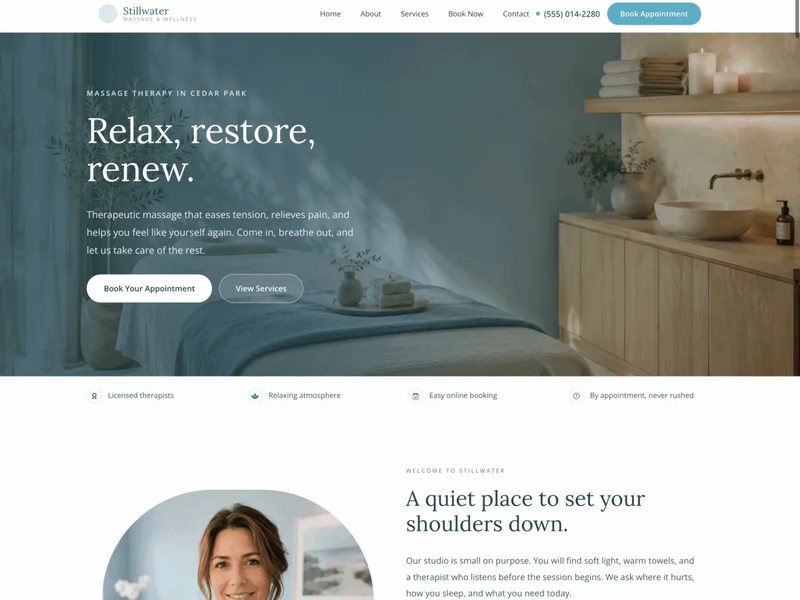
Some Sites We've Built
A wide array of sites, designs, and color schemes.
● ● ●
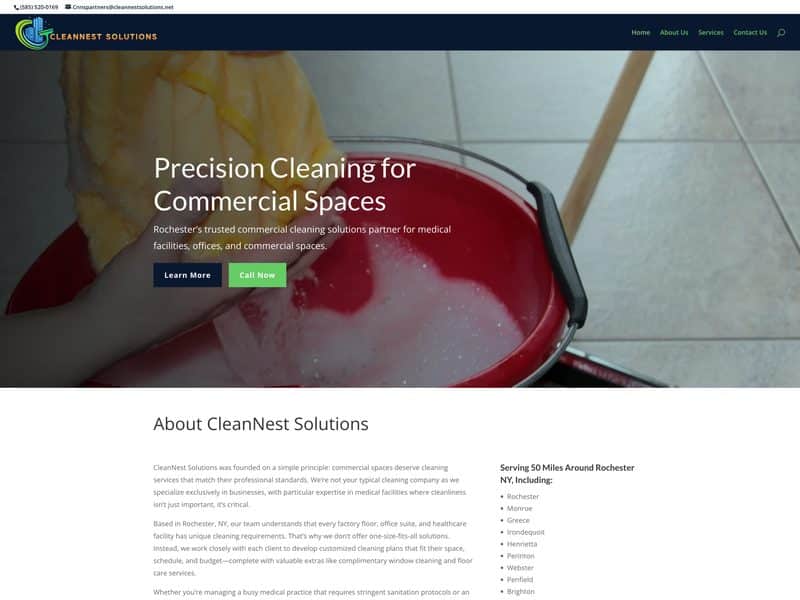
CleanNest Solutions
● ● ●

Estate Planning in Michigan
● ● ●
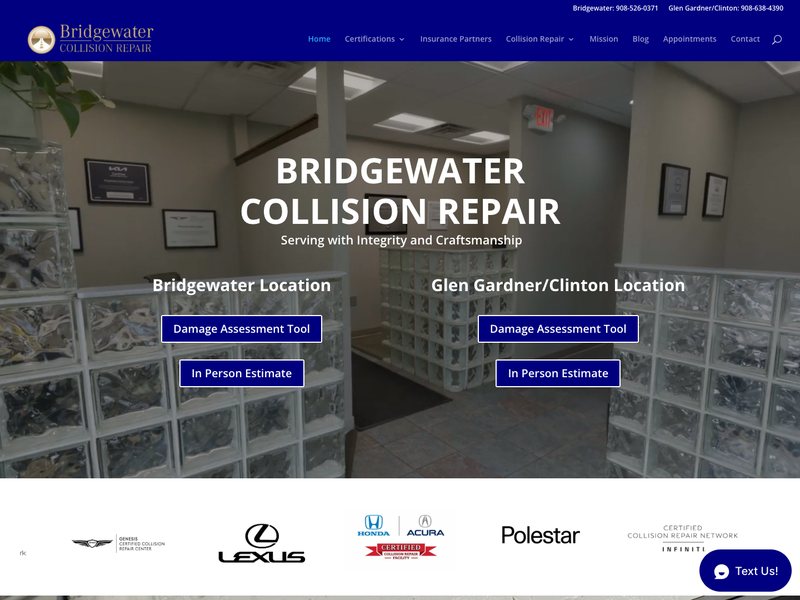
Bridgewater Collision
● ● ●
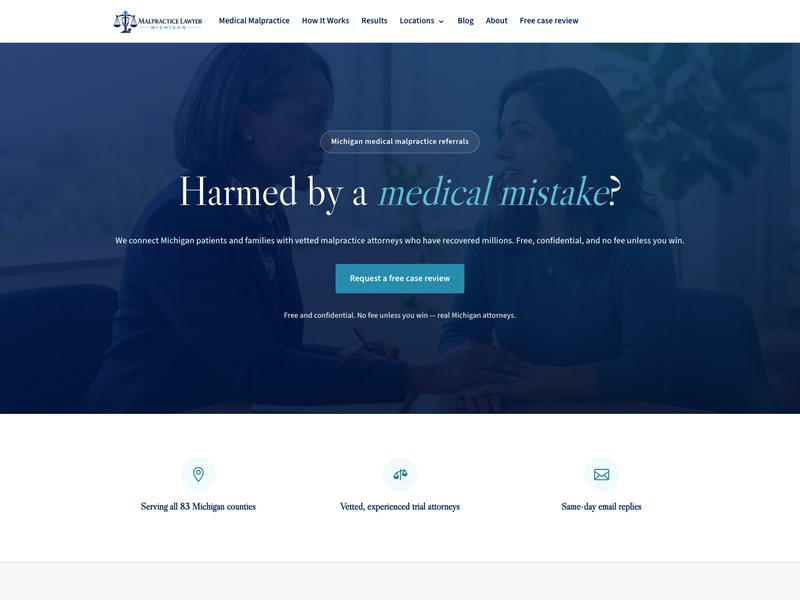
Malpractice Lawyer Michigan
Some Designs You Can Choose
Pick a design. We customize it for your business.
● ● ●

Small Business
● ● ●
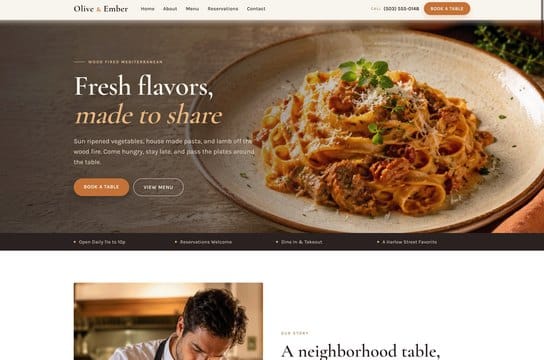
Restaurant
● ● ●

Hair Salon
● ● ●

Attorney
Step by Step
Manual migration: how to transfer Weebly to WordPress yourself
You can migrate Weebly to WordPress yourself, and a small site with a blog is a reasonable weekend project. Doing the work by hand gives you complete control over the new site, but it takes patience. These are the steps in order.
How long it takes depends on the size of your site. Keep your Weebly account active until the new site is tested and live.

1. Set up hosting and install WordPress
Choose a hosting provider and connect or register your domain. Most hosts let you install WordPress from the hosting control panel in a few clicks. Pick a WordPress theme before you bring content in.
2. Export your Weebly content
The free Weebly to WordPress Importer tool reads your public site and creates an XML file of your posts and pages. Another route is the Feedzy RSS Aggregator plugin, which pulls blog posts in through your Weebly RSS feed. Custom page layouts still have to be copied by hand.
3. Import posts and pages
In the WordPress dashboard, go to Tools, then Import, and run the WordPress importer with your XML file. Check the option to download attachments so images land in your media library. Then rebuild page layouts and contact forms.
4. Fix the permalink structure and redirects
Under Settings, Permalinks, select a custom structure of /blog/%postname% so post URLs match Weebly's. Add 301 redirects for old .html page addresses with a plugin such as Redirection. Then update your domain's nameservers, which can take 24 to 48 hours.
How It Works
How we build your new site
If that sounds like more than you want to take on, hand it to us. You tell us about your business and which pages matter most. We take care of the export, the build, and the launch.
Your Weebly site stays online while we work. You review the new WordPress site on a private link, and we point your domain once you approve it. After launch we keep the site updated and backed up.
1. Review and save
We list your pages, posts, forms, and products, and save your Weebly content before anything changes.
2. Build and move content
We build your pages in WordPress, import your blog posts, and upload your images to the media library.
3. Test and launch
We match your URLs, add redirects, test the new site, and point your domain.
FAQs
Weebly to WordPress migration questions
Is Weebly being phased out?
Not in the United States, as of 2026. Weebly is owned by Square, which now recommends Square Online for new websites. In 2026, Square wound down Weebly in 67 countries outside the US, so many owners are planning ahead.
How do I migrate Weebly to WordPress?
Set up WordPress hosting, install WordPress, and export your Weebly content with an importer tool. Import the file under Tools, then Import, and rebuild your page layouts and forms. Finish by matching your URLs, adding redirects, and pointing your domain.
How do I export a website from Weebly?
Weebly's settings include an archive option that downloads your pages as HTML files. That archive leaves out blog posts and store pages. To get posts into WordPress, most people use the free Weebly to WordPress Importer tool or the site's RSS feed.
Is Weebly the same as WordPress?
No. Weebly is a hosted website builder owned by Square, and your site lives only on its servers. WordPress is open-source software that can run on almost any web host.
Does Weebly support WordPress?
No. The two are separate platforms, and Weebly doesn't offer a one-click importer into WordPress. Content is moved with third-party tools or rebuilt by hand.
Can I keep my domain when I leave Weebly?
Yes, if you use a custom domain. You update its nameservers or DNS records to point to the new host, and the change can take 24 to 48 hours. A free weebly.com address stays with Weebly, so you'd start on a new custom domain.
Will my Weebly images move to WordPress?
Not always on their own. Imported posts can keep pointing to images stored on Weebly's servers. We upload your images to the WordPress media library so they keep working after the Weebly site is closed.
Ready to move your Weebly site to WordPress?
Send us your Weebly site address and we'll tell you which fits better, a new website plan or a Site Transfer plan. Sign up online in a few minutes, or call and we'll point you to the right plan. We handle the move from there.