
Squarespace to WordPress Migration
Ready for more control than Squarespace gives you? Our Squarespace to WordPress migration service moves your content, rebuilds your design, and manages your new WordPress site, from just $67/mo.
Why We're Different
Extremely Affordable.
Plans start at $67/mo with hosting included, and a new site often costs less than rebuilding every Squarespace page. No hidden fees and no surprise increases.
Fully Managed and Secure.
A self-hosted WordPress site gives you more control, and it needs updates, backups, and security features kept current. We handle all of it with 99.9% uptime, free SSL, and daily backups.
Looks Great on Every Device.
Your new WordPress website is built on a WordPress theme that's tuned for speed, and it works on phones, tablets, and desktops.
Flint, Michigan-owned and based.
A Michigan team handles the export file, the rebuild, and the redirects. You talk to real people before, during, and after the move.
2017
Year founded
260+
Websites built and managed
450+
AI/SEO audits performed
5 days
Average checkout to live
Squarespace to WordPress
Move your Squarespace website to WordPress and keep what you've built
Squarespace makes a good-looking site with an easy setup, which is why so many businesses start there. The limits show up later, when you want a feature the templates don't offer or more say over SEO, hosting, and cost. 67 Web Design handles your Squarespace to WordPress migration from the export file to the final step, so you get a new WordPress site without the learning curve.
Squarespace does have an export tool, and it only goes so far. The export file covers basic pages and the posts from one blog. Product pages, galleries, custom CSS, and your template's layout stay behind, and images can keep loading from Squarespace until they're moved.
That's why a Squarespace migration is part import and part rebuild. We bring over the Squarespace content that exports cleanly, recreate the rest by hand, and check every page against your old site before launch.
What changes when you move to WordPress
An open source platform you own
WordPress is an open source platform that runs roughly four in ten websites. You own the site files and the content, and you can move them to another hosting provider whenever you like.
Plugins for almost anything
More than 60,000 free WordPress plugins add features such as booking, memberships, and ecommerce without a change of plan. If one plugin doesn't fit, there's usually another that does.
SEO settings you can reach
A plugin such as Rank Math or Yoast gives you control over titles, meta descriptions, schema, and your XML sitemap on every page. You can also set the link structure for your blog and pages.
Hosting and upkeep included
A self-hosted WordPress site needs updates, backups, and security checks. Our WordPress hosting plans cover that work, so you get the flexibility without the maintenance.
67 is trusted by these sites and many, many more




About 67 Web Design
Professional WordPress websites, without the agency markup.
Michele Porter founded 67 Web Design in 2017 with one simple goal: making professional websites accessible and affordable for every business, church, school, and nonprofit that needs one.
Michele personally oversees every project with 15+ years in local SEO and 20+ years in WordPress development. You get a fully managed WordPress website with no bloated retainer attached. One team handles the build, the hosting, and the updates.

15+
Years SEO experience
20+
Years web design
Option 1: Start Fresh
A new WordPress website usually costs less than rebuilding your Squarespace site
For most Squarespace owners, starting fresh is the better deal. A new site has no per-page rebuild fee, so it's often cheaper, especially when your page count is small. We build it on a new theme that's optimized for speed and search, and we write the copy from your intake answers. Plans start at $67 per month for a 3-page site with hosting, business email, and basic SEO included.
67 Basic Plan
3 pages
New or very small businesses that need a simple, professional site.
$67
/mo
No setup fee · 12-month term
✓
Home, About or Services, and Contact pages, live in 5 business days
✓
We write the copy from your intake answers
✓
Hosting, SSL, backups, and 1 domain in your name
✓
3 business email inboxes (1 GB each)
✓
WordPress, theme, and plugin updates with security monitoring
✓
30 minutes of updates each month
✓
Titles and META descriptions on every page
✓
Email support
Most popular
67+ Social Media Plan
5 pages
Small businesses that also want a Facebook or Google presence kept active.
$109.99
/mo
No setup fee · 12-month term
✓
Home, About, Services, Pricing or Gallery, and Contact, live in 5 business days
✓
Google Business Profile or Facebook page setup
✓
4 social posts a month
✓
5 business email inboxes
✓
Hosting, SSL, backups, and 1 domain in your name
✓
30 minutes of updates each month
✓
Titles and META descriptions on every page
✓
Email support
67 Deluxe Plan
Up to 10 pages
Established small businesses with several services.
$229.99
/mo
No setup fee · 12-month term
✓
Up to 10 pages, live in 5 business days
✓
Google Business Profile or Facebook page setup
✓
8 social posts a month
✓
8 business email inboxes
✓
Hosting, SSL, backups, and 1 domain in your name
✓
45 minutes of updates each month
✓
Titles and META descriptions on every page
✓
Email and phone support
67 Pro
Up to 20 pages
Larger sites that do not want social posting.
$349.99
/mo
$199.99 setup · 12-month term
✓
Up to 20 pages, live in 10 business days
✓
We write the copy from your intake answers
✓
10 business email inboxes
✓
Hosting, SSL, backups, and 1 domain in your name
✓
60 minutes of updates each month
✓
Social Posting available as a $49.99/mo add-on
✓
Email and phone support
67 Ultra
Up to 30 pages
Large service businesses that want the site plus Facebook and Google posting.
$499.99
/mo
$449.99 setup · 12-month term
✓
Up to 30 pages, live in 10 business days
✓
Facebook and Google Business Profile setup
✓
4 posts a month on each platform
✓
12 business email inboxes
✓
90 minutes of updates each month
✓
Priority email and phone support
67 Elite
Up to 45 pages
The largest new builds: multi-service or multi-location businesses.
$599.99
/mo
$549.99 setup · 12-month term
✓
Up to 45 pages, live in 28 business days
✓
Facebook and Google Business Profile setup
✓
4 posts a month on each platform
✓
15 business email inboxes
✓
120 minutes of updates each month
✓
Priority email and phone support
Ecommerce website plans
Running a Squarespace store? Ecommerce doesn't export, so products are set up again in WordPress. Our ecommerce plans include product pages and secure payment setup for a small online store.
67 Ecommerce Basic
3 pages + up to 10 products
Small shops selling a handful of products.
$119.99
/mo
No setup fee · 12-month term
✓
3 pages plus store, live in 7 business days
✓
1 payment processor, flat-rate or free shipping
✓
Up to 10 products, with a guide for adding more
✓
We write page copy; you supply product details and photos
✓
3 business email inboxes
✓
30 minutes of updates each month
✓
Email support
67 Deluxe Ecommerce Plan
5 pages + up to 25 products
Growing shops with a fuller catalog.
$249.99
/mo
No setup fee · 12-month term
✓
5 pages plus store, live in 10 business days
✓
1 payment processor, flat-rate or free shipping
✓
Up to 25 products
✓
1 new product added per month on request
✓
8 business email inboxes
✓
45 minutes of updates each month
✓
Email and phone support
Option 2: Keep the Same Site
Love your Squarespace design? We rebuild it in WordPress
If you want your new site to match your old Squarespace site, we rebuild each page in WordPress for $79 a page with our Platform Rebuild add-on. The closest match to your template becomes the starting point, and we adjust the layout until it lines up. You then choose the Site Transfer plan that fits your page count, plus that plan's one-time migration fee. From there we manage hosting, updates, backups, and monthly content changes.
67 Site Transfer
Up to 8 main pages
$99.99
/mo
$149.99 migration · 12-month term
Businesses with a small existing WordPress site they want hosted and looked after.
67 Site Transfer Plus
13 to 20 main pages
$249.99
/mo
$249.99 migration · 12-month term
Growing businesses with a mid-size site.
67 Site Transfer Elite
21 to 35 main pages
$449.99
/mo
$449.99 migration · 12-month term
Established businesses with a large site and several mailboxes.
Keeping Your Google Rankings
How we protect your Google rankings when you leave Squarespace
Lost traffic after a migration almost always comes from URLs that changed without a redirect. Where we can, we keep the same URL structure you had on Squarespace, so most pages never change address. Where a URL has to change, every indexed old address gets a 301 redirect to its closest new page.
Search engines need a few weeks to process a move, so some movement is normal. Clean redirects, with no redirect chains and no broken links, keep it short. Our SEO plans pick up from there if you want ongoing work after launch.
A redirect map for every indexed URL
We list every indexed Squarespace URL and map each one to the closest new page, so visitors and Google never land on an error.
SEO titles and descriptions moved by hand
Squarespace SEO settings don't come through in the export file. We re-enter each page's title and description in an SEO plugin.
Search Console and Analytics set up
We submit the new XML sitemap in Google Search Console and reconnect Google Analytics, so your reporting carries on.
Redirects tested after launch
After launch we test each old URL to confirm it redirects once and ends on a working page that returns a 200 status.
Why Switch
Why businesses move from Squarespace to WordPress
Squarespace works well until your business needs something its templates weren't built for. The four limits below are the ones owners mention most when they ask us about moving.
Cost is part of it too. Squarespace bills one price for everything, while WordPress costs depend on your hosting provider and the features you add, so we quote both routes before you decide.

Hosting you can't change
A Squarespace site only runs on Squarespace. You can't move it to another host or download a working copy.
Customization stops at the template
You can restyle a Squarespace template and add custom CSS, and anything beyond that is hard to change. WordPress lets you alter any part of the layout.
Fewer integrations
Squarespace supports a set list of extensions. WordPress connects to far more outside tools through plugins.
Features tied to your plan
Selling online and other advanced features depend on which Squarespace plan you pay for. On WordPress you add them when you need them.
Some Sites We've Built
A wide array of sites, designs, and color schemes.
● ● ●
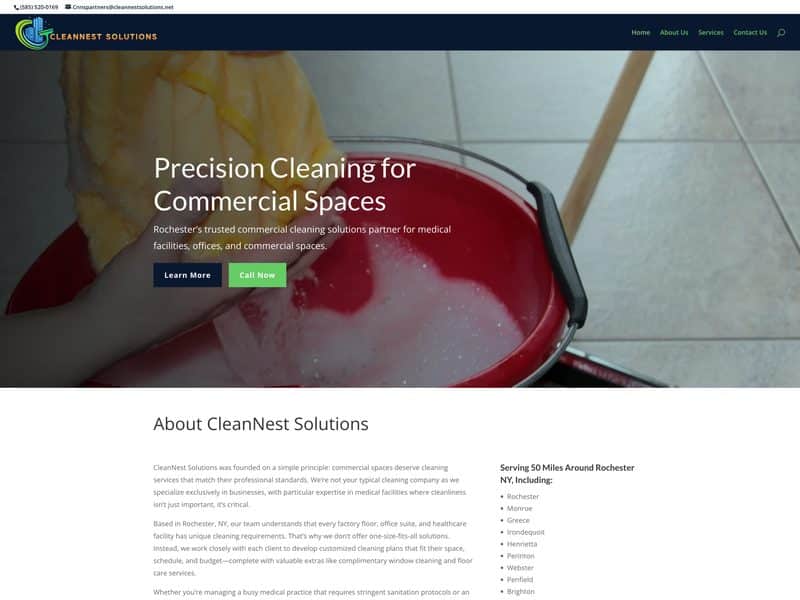
CleanNest Solutions
● ● ●

Estate Planning in Michigan
● ● ●

Bridgewater Collision
● ● ●

Malpractice Lawyer Michigan
Some Designs You Can Choose
Pick a design. We customize it for your business.
● ● ●

Small Business
● ● ●

Restaurant
● ● ●

Hair Salon
● ● ●

Attorney
Step by Step Guide
How to move a Squarespace site to WordPress yourself
Here's a step by step guide to the migration process if you'd like to try it yourself. Squarespace gives you a head start with its export tool, and the rest is manual work. We follow the same steps for every client, with a checklist so nothing gets missed.
The time involved depends on your page count and how much of the site is galleries, products, or custom design. Build the new site on a hidden test address first, so your old site stays live until the new one is ready.

1. Install WordPress on your own hosting
Open a hosting account in your own name with a reputable hosting provider, since hosting affects how fast your site loads. Most hosts offer a one-click tool to install WordPress, and many include free themes. Pick a free or premium theme that's the closest match to your Squarespace template.
2. Export your Squarespace content
In your Squarespace account, open the import and export settings and download the export file, which is an XML file. In the WordPress dashboard, go to Tools > Import, run the WordPress importer, and assign the posts to an existing admin user on the import settings page. Importing content this way brings in basic pages and blog posts only.
3. Move images and rebuild the rest
The image import process is separate, because imported posts can still point to external images on Squarespace. Use a plugin to import external images into the WordPress media library, then rebuild galleries and your home page in the WordPress editor. Custom CSS and ecommerce products have to be added again by hand.
4. Redirect, connect your domain, and test
Set your permalinks to keep the same URL structure where you can, and add a 301 redirect from each old address to its closest new page. Point your custom domain to the new host and copy your email records so mail keeps working. As a final step, check for broken links and resubmit your sitemap to search engines.
How It Works
What our WordPress migration service handles for you
Hand the move to us and you skip the learning curve. You don't install WordPress, compare hosts, or work out the import settings. You tell us what you want to keep, and we do the rest.
Your old Squarespace site stays online while we work. You review the new WordPress site on a private address, and we switch your domain once you approve it. After launch, we keep managing the site for you.

1. Audit and export
We export your Squarespace content, list every page and URL, and note what the export file leaves out.
2. Build and import
We set up WordPress on our managed hosting, import your pages and posts, move your images, and rebuild galleries and custom sections.
3. Redirect and launch
We re-enter your SEO settings, map the redirects, connect your custom domain, and test the new pages before and after launch.
FAQs
Squarespace to WordPress migration questions
Can you migrate a Squarespace website to WordPress?
Yes. Squarespace exports basic pages and blog posts as an XML file, and WordPress can import it. Galleries, products, custom CSS, and the design have to be rebuilt, which is the part we handle for you.
What's the difference between WordPress and Squarespace?
Squarespace is an all-in-one builder that hosts your site and limits you to its templates and tools. WordPress is open-source software you run on hosting you choose, with thousands of themes and plugins. Squarespace is simpler to start with, and WordPress gives you more control as you grow.
Which is more expensive, Squarespace or WordPress?
It depends on what you need. Squarespace charges a monthly or annual plan price that includes hosting. WordPress software is free, and your cost comes from hosting, premium themes or plugins, and upkeep, which our plans bundle into one monthly price starting at $67.
Can I keep my domain if I leave Squarespace?
Yes. Cancelling your Squarespace website doesn't cancel a domain you registered there. You can keep the domain at Squarespace and point it to your new WordPress hosting, or transfer it to another registrar before you cancel, which can take several days.
Will I lose my Google rankings when I leave Squarespace?
A careful move keeps most rankings in place. We keep your URL structure where we can and add a 301 redirect for every indexed address that changes. Rankings can move for a few weeks while Google processes the new site.
What are the downsides of using Squarespace?
The main ones are limited customization, a short list of integrations, and no way to move your site to another host. Its export tool also leaves out much of a site, which makes leaving harder. For a simple site those limits may never matter.
Is WordPress outdated in 2026?
No. WordPress is still the most widely used website platform, running roughly four in ten websites, and it's updated several times a year. It does need regular updates and backups, which is why our plans include that maintenance.
Ready to move from Squarespace to WordPress?
Send us your Squarespace website address and we'll tell you which route costs less, a new site or a page-by-page rebuild. We handle the export, the rebuild, and the redirects. Sign up online in a few minutes, or call and we'll point you to the right plan.